AmneziaVPN Logs
Overview
Logging is an AmneziaVPN app feature that saves technical information about how the app works. Log recording is disabled by default.
Logs are mainly intended for support, where they help diagnose connection issues or app problems. The documentation does not include a separate guide for reading logs manually.
- Android, iOS — app logs can be saved.
- Windows, macOS, Linux — app logs and service logs can be saved.
How to Prepare Logs for Support
To make the log file complete and easier to read, clear old logs and start a new recording before reproducing the problem.
- Open AmneziaVPN and go to Settings → Application → Logging.
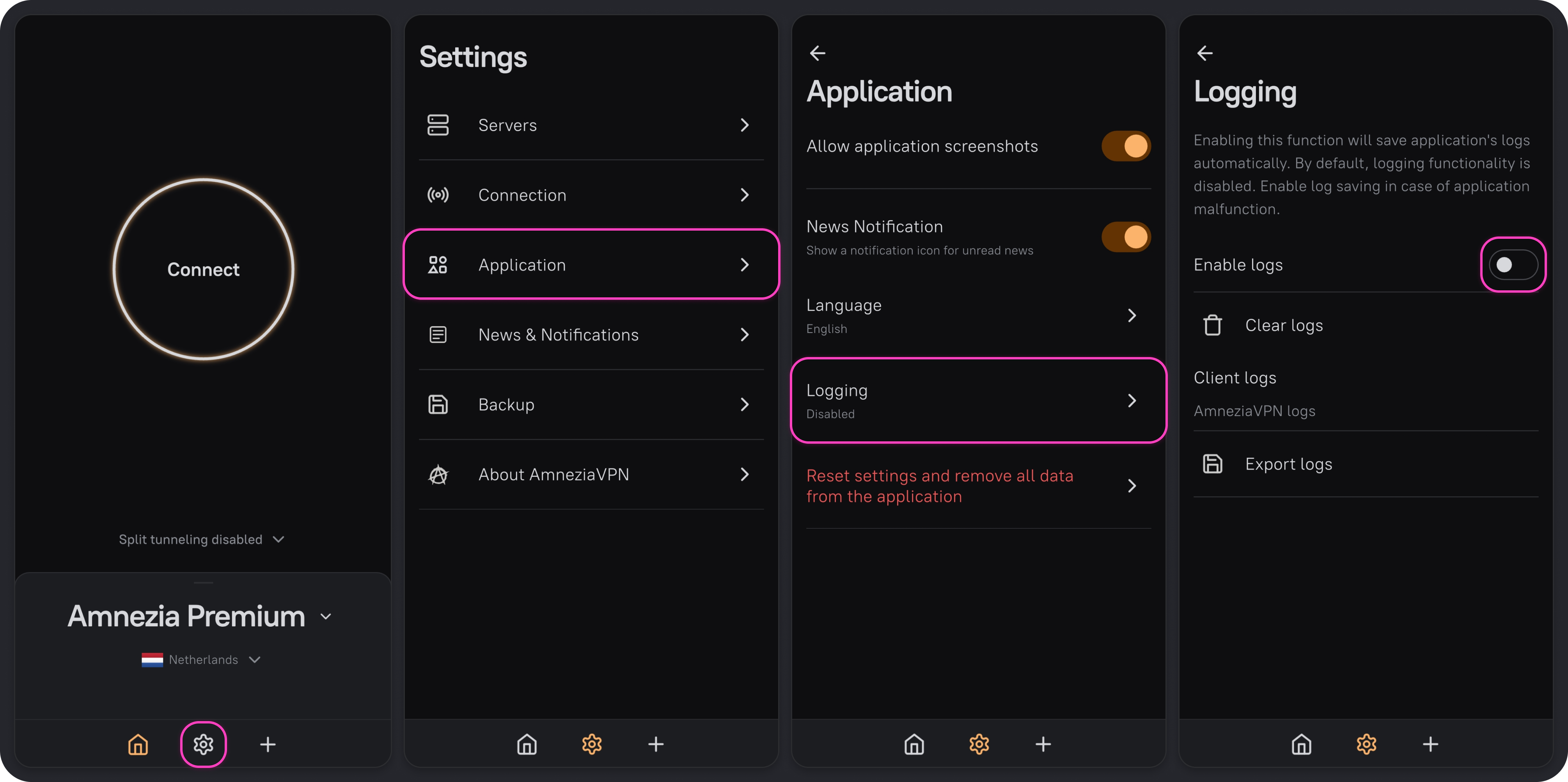
- If Enable logs is already turned on, turn it off.
- Click Clear logs.
- Turn on Enable logs.
- Repeat the action that causes the problem.
- Click Export logs.
- Choose where to save the log file, then send it to support.