Installing AmneziaVPN on macOS
Overview
This guide explains how to download the AmneziaVPN installer for macOS from GitHub and install the app.
Current versions of AmneziaVPN for macOS need macOS 14.0 or later. Older macOS versions are not supported.
If your macOS version is earlier than 14.0, use the alternative app AmneziaWG.
Downloading the Installer
-
Open the latest stable AmneziaVPN release page on GitHub: github.com/amnezia-vpn/amnezia-client/releases/latest.
-
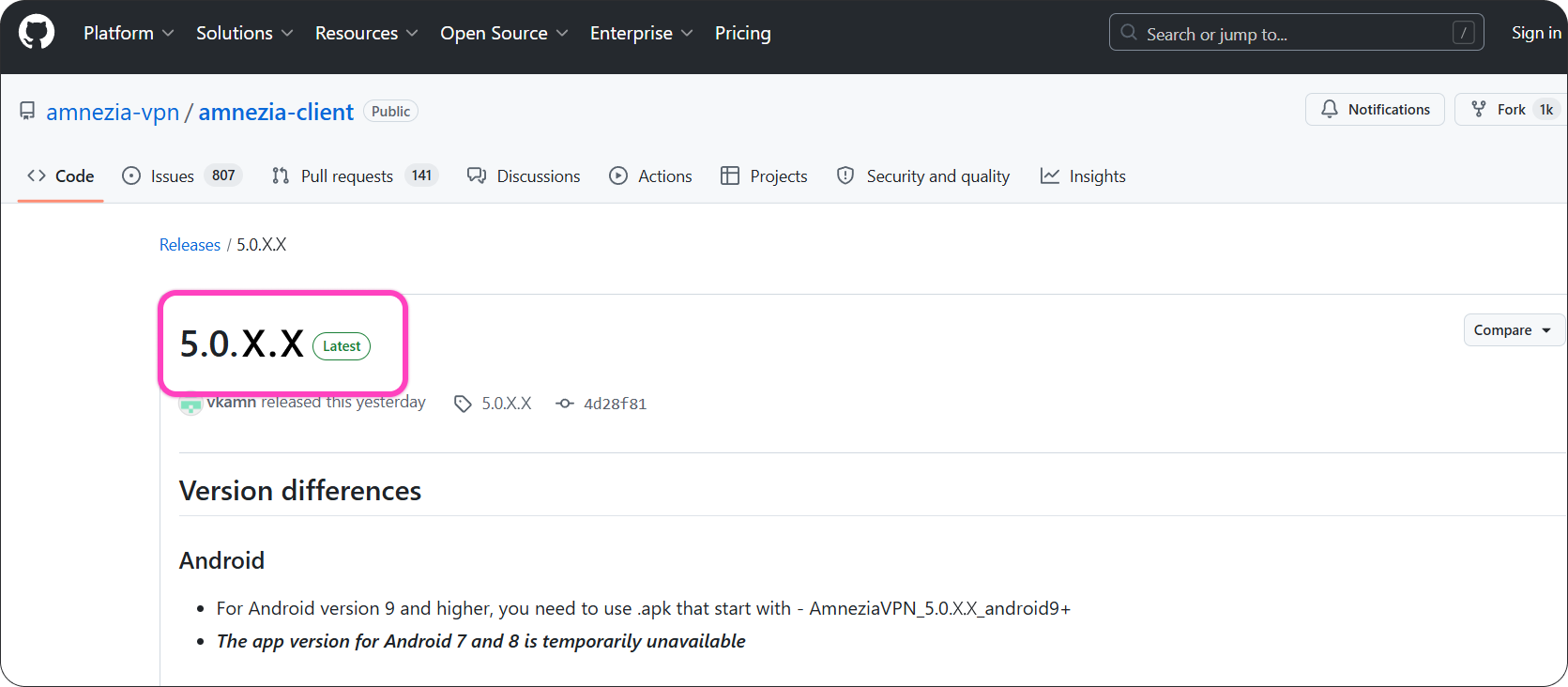
On the GitHub releases page, find the latest stable AmneziaVPN release. It has a green Latest label.
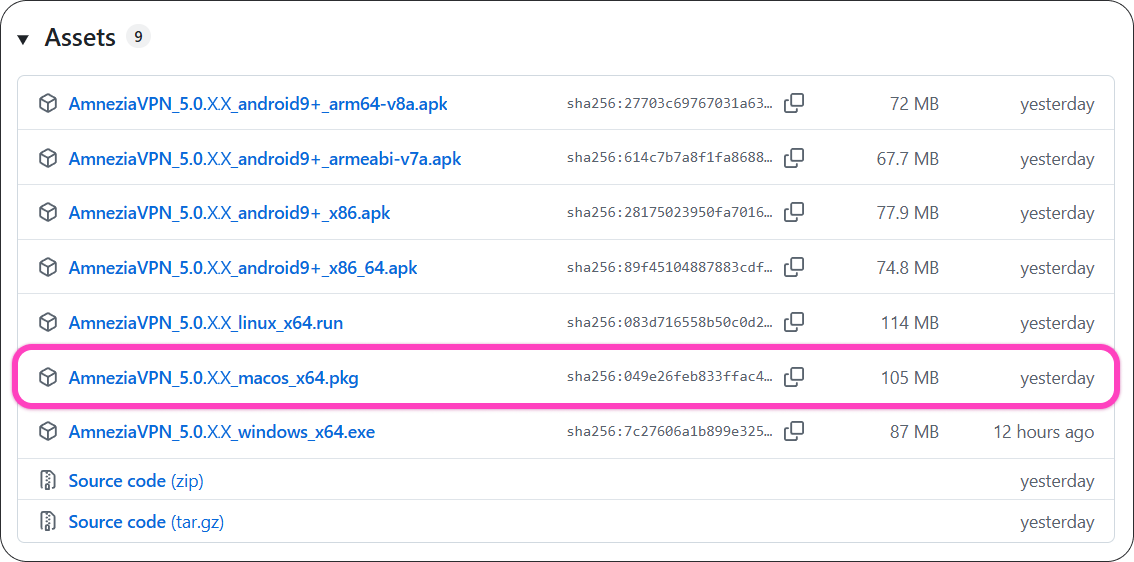
- In the Assets section, find the
.pkgfile for macOS and download it.
Installing the App
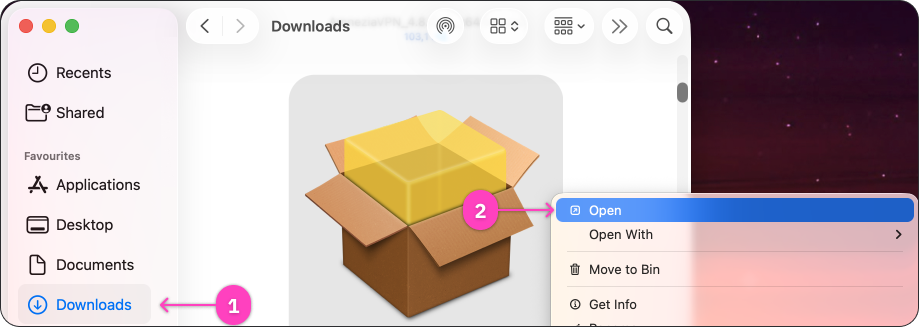
- Open the downloaded
.pkgfile. It is usually in the Downloads folder.
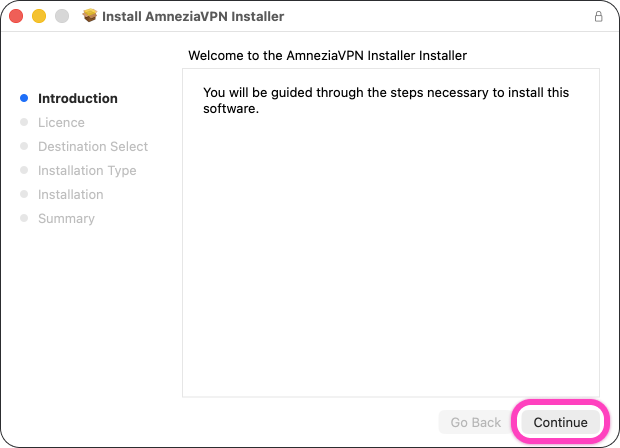
- In the AmneziaVPN installer, click Continue.
- On the license agreement screen, click Continue.
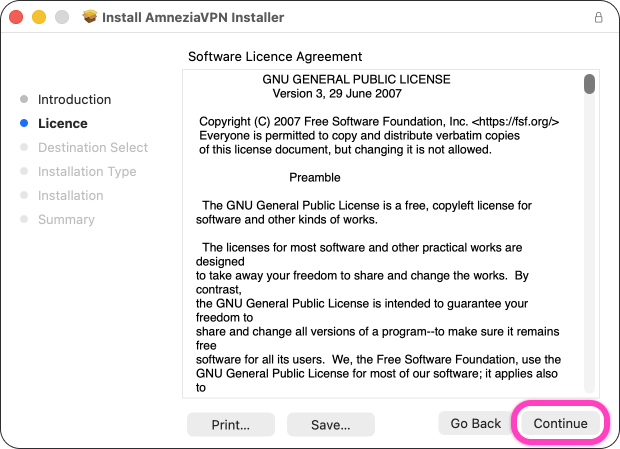
- To continue the installation, click Agree.
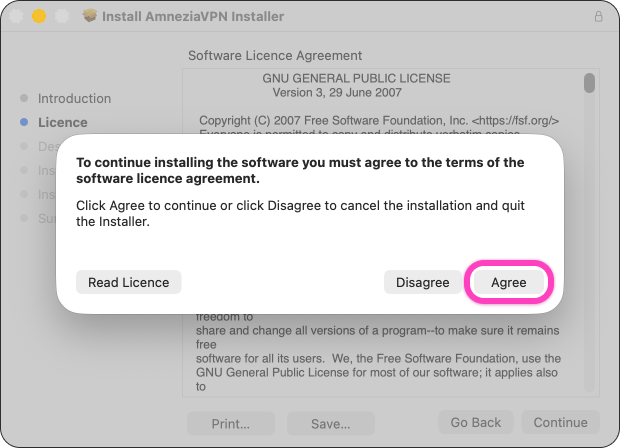
- On the installation type screen, click Install.
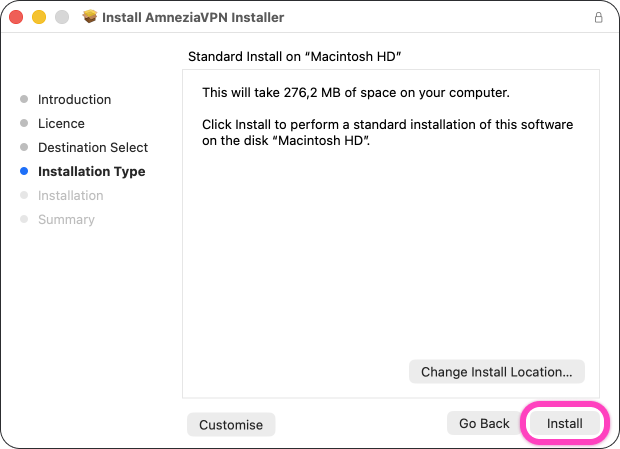
- If macOS asks for confirmation, click Use Password..., enter the administrator password, or confirm the installation with Touch ID.
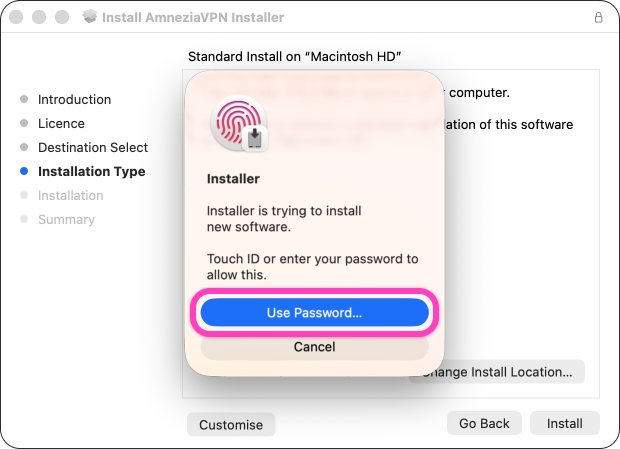
- Wait until the installation is complete and click Close.
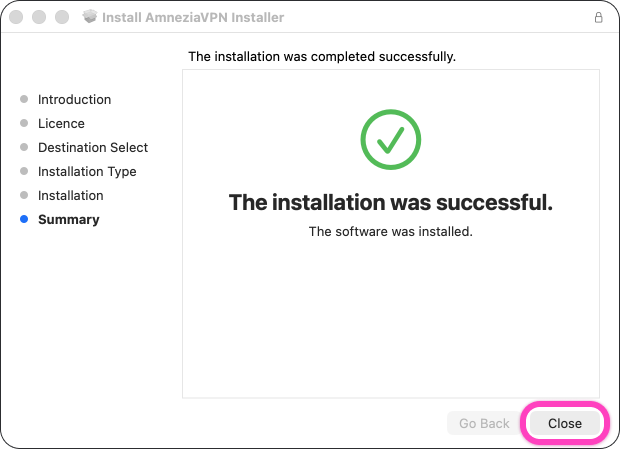
When the installation is complete, AmneziaVPN opens automatically. We recommend restarting your device after installation. Then you can connect.