Amnezia Premium Connection Does Not Work
If you can't connect to Amnezia Premium, first make sure you are using the latest version available for the app you connect with.
AmneziaVPN update guides: Android, iOS, Windows, macOS, and Linux.
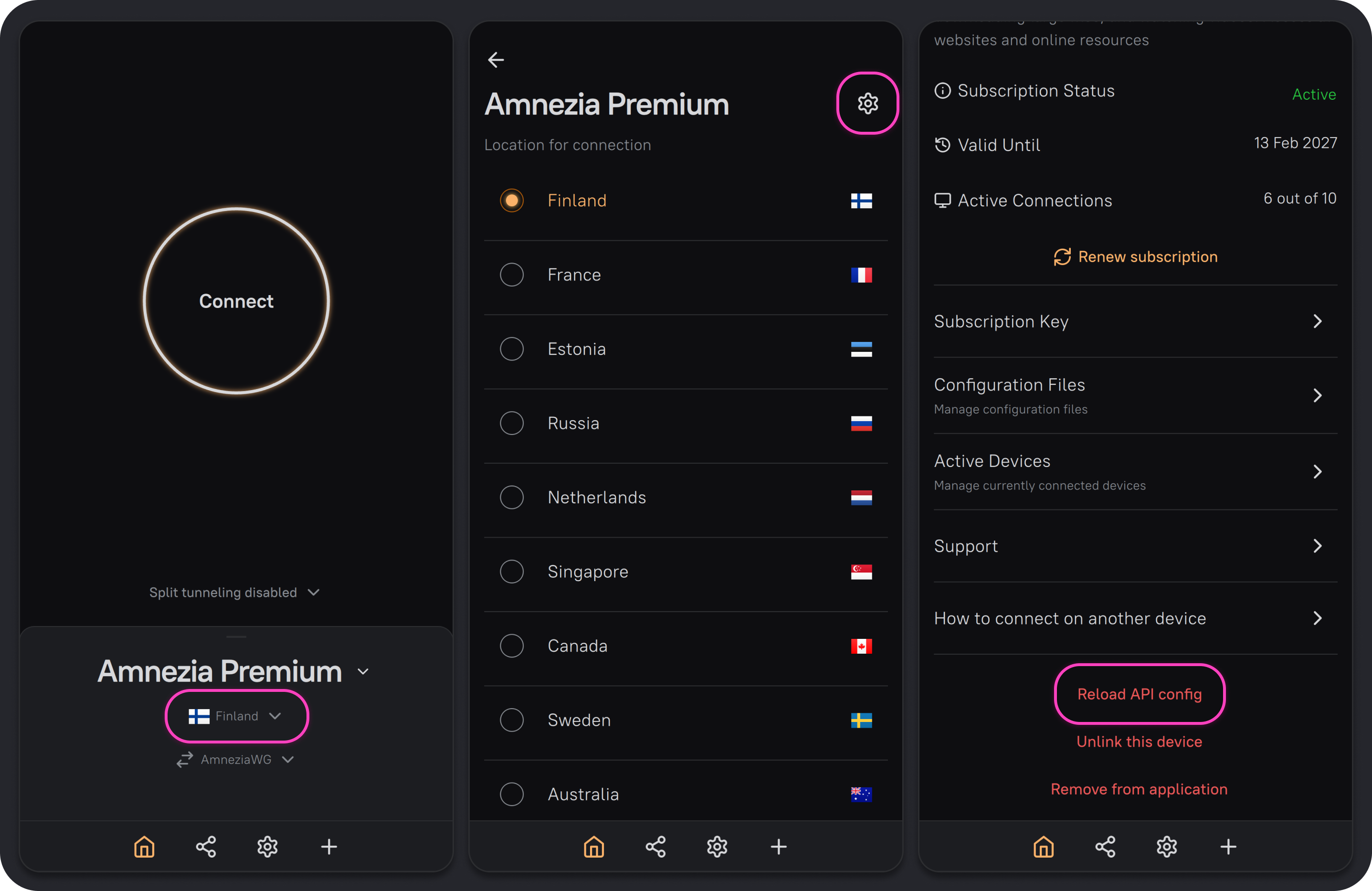
After updating the app, try connecting again. If you still can't connect, or the connection is established but there's no traffic (for example, your Instagram feed doesn't update), reset the API configuration:
- On the main screen of the AmneziaVPN app, tap the location name.
- Tap ⚙️ (gear icon) in the top-right corner.
- Tap Reload API config, then Continue. After that, try connecting to the VPN again.
Resetting the API configuration won't "break" your connection; it will only help you get updated VPN server parameters.
If the connection problem persists after resetting the API configuration, check the connection to each available location.
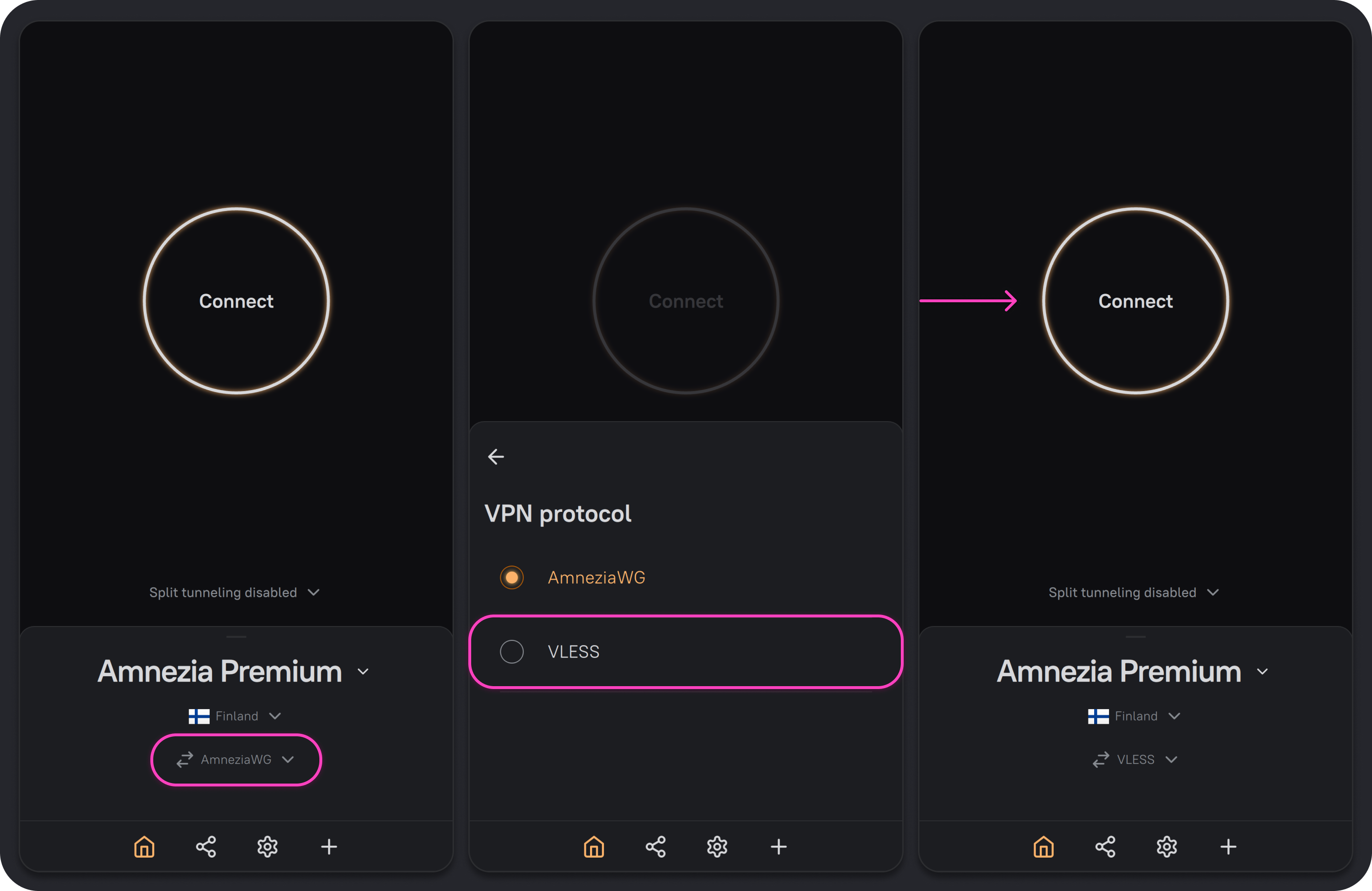
If you can't connect to any location, try switching the connection protocol:
- On the main screen of the AmneziaVPN app, tap the current protocol (AmneziaWG).
- In the dropdown menu, select VLESS.
- Tap Connect.
If the connection to Amnezia Premium doesn't work only when using mobile internet, but works fine over home (wired) internet, the most likely cause is mobile internet restrictions based on "whitelists".
If you are connecting from Russia or from a region where mobile internet is restricted by whitelists, first try connecting to the Greenland location. Amnezia Premium includes this location specifically for bypassing whitelist-only restrictions. If you can't connect via Greenland, wait until mobile internet works properly again, or use another internet source where there are no such restrictions.
Mobile internet in Russia is increasingly operating in restricted mode (based on "whitelists"), which makes VPN connection impossible.
Usually, whitelist restrictions are active at certain times of day or in certain areas of the city. For more detailed information about internet restrictions based on "whitelists", you can check with your mobile carrier.
If you can't connect to any location on both mobile and home (wired) internet with VLESS protocol both enabled and disabled, contact us via TG-chat or email [email protected].