Screenshots in AmneziaVPN
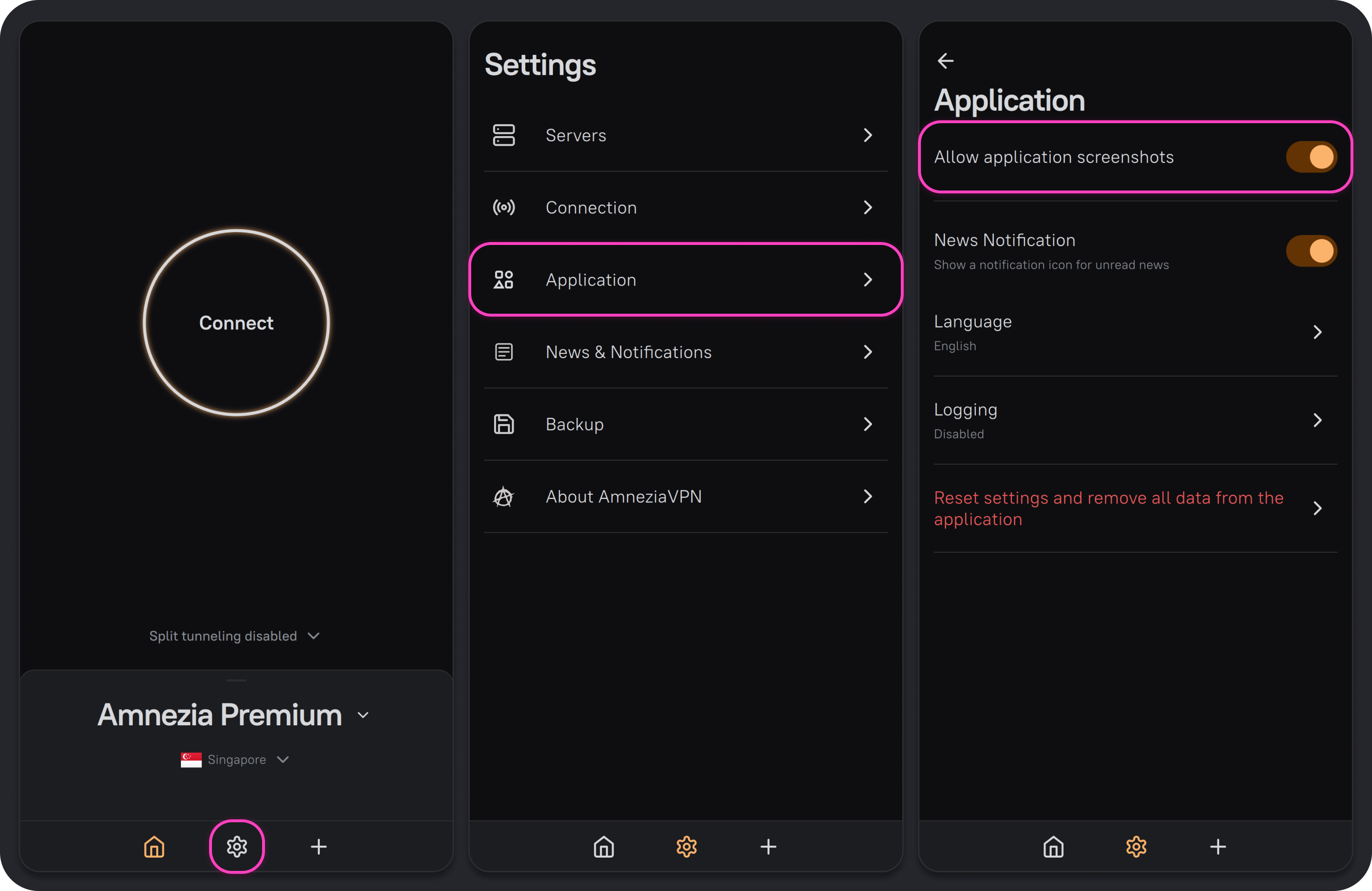
In the AmneziaVPN mobile app for Android and iOS, you can allow or block screenshots. By default, they are allowed.
To block screenshots, open AmneziaVPN settings, go to Application, and turn off the Allow application screenshots option.